
Making a music video once devoured weekends, budgets, and barrels of coffee. Now you drop an MP3 into a browser, sip a latte, and an AI editor has already cut the beat.
That leap is thrilling yet messy. New “generate-from-audio” tools surface every week, each promising frame-perfect sync and bullet-proof rights. Some deliver; most don't.
We fed the same 30-second chorus into more than 20 platforms, timed every render, and ranked what stayed on the downbeat. Seven apps earned a spot in this guide—each excelling at a different job, from lyric-tight edits to psychedelic stage visuals.
Ahead, you’ll see how we tested, why these seven stood out, and which one fits your next release.

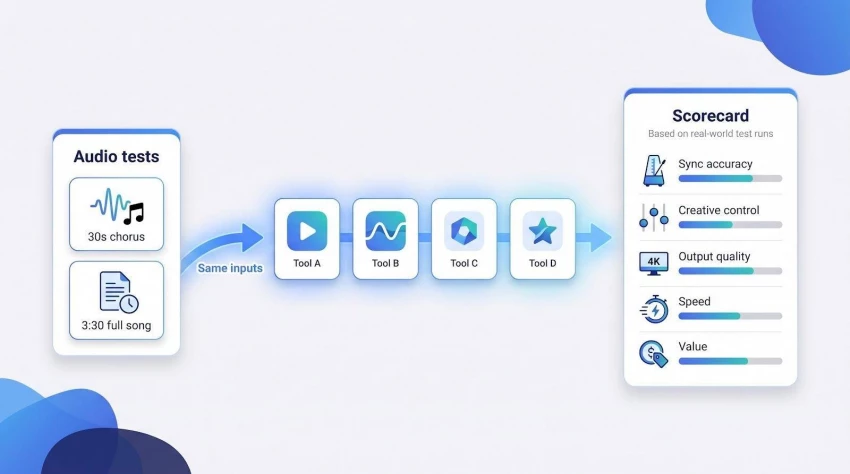
We treated every platform like a session player walking into the studio: same chart, same tempo, no excuses.
First, we fed each tool the identical 30-second chorus of an original track. That kept the field level and let us see which apps truly heard the kick drum and which threw random cuts on screen.
We timed every render with a stopwatch. Some outputs arrived before our espresso cooled; others took long enough for a refill. Speed isn’t everything, but waiting breaks creative flow, so we logged it.
Resolution and clarity came next. We downloaded the highest tier each service allowed within a reasonable budget, then scrub-checked for flicker, muddy upscales, or uncanny faces.
Finally, we ran a full-song test—three minutes 30 seconds with lyrics—to judge stability, lyric sync, and cost per finished minute.
All notes landed in a simple scorecard covering five factors: sync accuracy, creative control, output quality, speed, and value. The ranking in the next section flows straight from those numbers.
Neural Frames (neuralframes.com) feels less like an app and more like a seasoned editor who already knows your song. The moment you upload a track, it splits the audio into eight stems—drums, bass, vocals, and more—then ties every visual cue to those layers. Independent testers praised this stem engine as the first to land frame-accurate hits on cymbal crashes and snare rolls.
You don’t have to micromanage, but you can. A DAW-style timeline lets you drag scene markers exactly where the bridge drops or the solo peaks. Want the chorus in anime neon and the outro in gritty film noir? Swap models mid-song without losing sync. Autopilot drafts a full storyboard in minutes; you refine only the moments that matter.
_1777975407.webp)
Neural Frames interface screenshot with DAW-style timeline and audio stems
Quality keeps up with ambition. Paid tiers render crystal-clear 4K, and even trial downloads arrive watermark-free with full commercial rights. Renders clocked in near real time—about five minutes for a four-minute video—quick enough to stay in creative flow.
Why you’ll love it
● Pro-grade sync that hugs every beat
● Deep creative controls when you want them, autopilot when you don’t
● Multi-model workflow for mixed aesthetics in one pass
Trade-offs to note
● Learning curve if you dive beyond presets
● Subscription starts around $25 per month, fair for pros but steep for hobbyists
If you crave surgical timing and space to experiment, Neural Frames hands you a conductor’s baton rather than a one-button jukebox.
Kaiber thinks in colour palettes and brushstrokes before you finish typing. Drop your song, describe a mood such as “retro-anime city at dusk,” and it paints the scene while pacing every shot to the pulse of your track.
The platform grabbed attention when Linkin Park used it for the official “Lost” video, proving that an AI generator can support a global release.
Kaiber’s new Superstudio workspace feels like an endless canvas. You pin clips, line them up on a visible beat grid, and preview changes in near real time. Need extra flair? Switch models mid-timeline: Luma for photoreal inserts, Veo for dreamy diffusion, all under one roof.
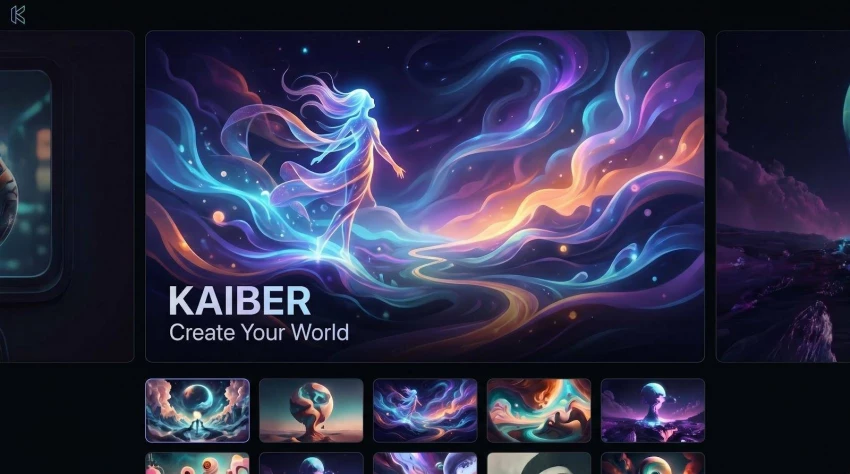
Kaiber Superstudio workspace screenshot with beat grid and stylized preview
Short renders are fast. Our 30-second test clip landed in under two minutes, sharp and saturated. Longer songs need more patience, and intricate drum fills can slip off tempo by a hair, so perfectionists may nudge markers manually.
Pricing is flexible. Credit packs start around $15, and a monthly plan unlocks watermark-free exports. For most online releases, 1080p looks crisp, though true 4K is also available for cinematic purists.
Why you’ll love it
● Style range runs from watercolor to cyberpunk without extra software
● Superstudio’s beat grid lets you refine timing visually
● Quick previews keep the creative loop tight
Trade-offs to note
● Basic beat detection stumbles on intricate rhythms; deep sync still trails Neural Frames
● Interface can overload first-time users with many options
● 4K generation consumes credits quickly, so budget accordingly
If your priority is striking aesthetics and fast iteration, Kaiber gives you a digital paintbrush that almost listens to the music.
LTX Studio greets you with a blank storyboard instead of a blank prompt box. The platform listens to your song, splits it into sections (verse, chorus, bridge), and pitches a shot list that matches those pivots. Scenes populate in real time, similar to a junior director pinning index cards on a wall.

LTX Studio storyboard and timeline interface for AI music videos
Editing feels natural. Need the bridge to linger on a skyline instead of a face? Drag the marker forward, regenerate that slice, and the change ripples through without knocking the rest off-beat. Longer pieces render scene by scene, so you can tweak Act I while Act II processes.
Costs are measured in “compute seconds.” The free tier hands you about 800 of them, enough for quick drafts but not full videos. Paid plans start near $15 per month and climb to pro-level tiers with faster renders and commercial rights.
Output tops out at crisp 1080p today, though 4K is on the roadmap. Character consistency impresses: train a singer’s face once and LTX keeps them recognizable across every shot.
Why you’ll love it
● Auto-storyboards that match song structure
● Scene-level editing without losing global sync
● Consistent characters for narrative videos
Trade-offs to note
● Free tier is strictly a taste test
● Beat-focused editors may still nudge cuts for complex rhythms
● 4K not yet live, so cinematic purists need patience
If your track begs for a mini-film—lyrics you can watch as well as hear—LTX Studio gives you the director’s chair without the production crew.
Runway doesn’t listen to your song; it listens to your imagination. Type a prompt such as “ink swirling through zero-gravity water,” and Runway produces a photoreal clip that feels pulled from a high-budget music video. Try “paper-cut stop-motion robots,” and you might think a boutique studio spent days crafting it.
Because Runway lacks built-in audio analysis, you create a music video the classic way: generate short scenes, then stitch them to the beat in its browser editor or your NLE of choice. The extra step costs time but grants artistic freedom that true audio-driven tools cannot match.
Model upgrades arrive quickly. Gen-4 added persistent characters; Gen-4.5 introduced camera moves and longer shots, so continuity headaches ease with each release. We stacked six clips for our chorus, aligned them manually, and the final montage looked anything but “AI cheap.”
Rendering depends on credits. A $15 monthly plan covered our three-minute project with room to spare, although heavy iteration will burn credits fast. Exports land at 1080p by default, while optional upscaling reaches 4K for an additional credit swipe.
Why you’ll love it
● Cinema-grade visuals limited only by your prompt writing
● Integrated editor and VFX tools for polishing or mixing live footage
● Frequent model improvements keep results fresh
Trade-offs to note
● No automatic beat sync; every cut is on you
● Credit meters climb quickly during heavy experimentation
● Steeper learning curve than one-click generators
If you are ready to act as director, editor, and prompt poet, Runway rewards you with visuals that can outshine label-funded productions. Budget time for the final sync.
Rotor skips generative art and heads straight to the film vault. Its engine searches a library of licensed clips, matches them to your song’s mood, and cuts everything to the beat. The result feels like a seasoned editor ran wild on Shutterstock, with no glitches, no surreal frames, just clean footage that fits.
Workflow is breezy. Upload your track, pick a style template, adjust a colour filter if you like, and select Generate. Our test chorus came back in 15 minutes, complete with kinetic lyric captions that landed almost perfectly on each vocal phrase. We swapped two shots with the drag-and-drop clip picker, pressed Render again, and the final looked release-ready.
Pricing is simple: pay about $25 for one 1080p download, or choose a monthly bundle if you need several videos. Because you pay per export, experimentation costs more than with credit-based tools, but the upside is zero watermarks and full commercial rights every time.
Rotor’s secret strength is reliability. Stock footage means no AI artefacts, consistent lighting, and visuals that pass brand-safety checks without a second glance. The trade-off is originality; fans may spot the same skyline pan in another artist’s video next month.
Why you’ll love it
● Professional cuts and colour without learning an editor
● Built-in lyric captions for instant karaoke versions
● Licensed footage removes copyright guesswork
Trade-offs to note
● Templates can feel generic if you want a distinctive aesthetic
● Cost per iteration rises quickly for indecisive creators
● 4K exports are off the table, limiting big-screen ambitions
When speed and safe professionalism lead your list, Rotor delivers a music video faster than most bands can set up a tripod.
FreeBeat feels like sorcery for anyone on a tight budget. Paste a YouTube or SoundCloud link, or drag in an MP3, choose a visual theme, and the platform delivers a fully synced lyric video before you can tweet about the release.
Under the hood, FreeBeat analyses BPM, bar structure, and vocal peaks, then treats rhythm as the project blueprint. In our test it hit every snare snap without a single manual tweak. Independent reviewers even scored its sync higher than some paid heavyweights.
Visual choices include cinematic styles, anime, and neon noir, and each style adapts colour and intensity to your song’s dynamics. The tool also offers full storyboard editing, so you can tweak shots much like a film production. Outputs look fresh enough for TikTok, YouTube Shorts, or a Spotify Canvas.
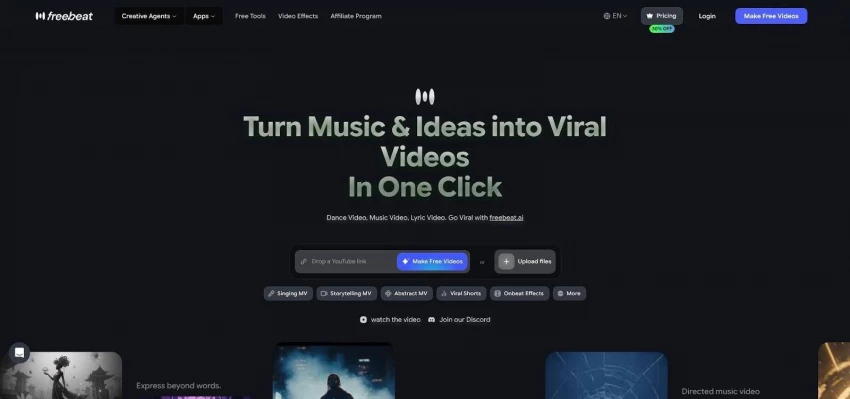
FreeBeat lyric video generator screenshot with visual themes and storyboard editing
The headline perk is its freemium model. FreeBeat offers a free tier for short clips, while paid plans starting around $5 per week unlock watermark-free, commercial-rights friendly exports. Renders top out at 1080p, but for most social drops that is plenty. The free tier limits you to 30 seconds; if you need full-length videos, you will need a paid plan.
Why you’ll love it
● Flawless beat and lyric sync without touching a timeline
● Generous free tier to test the waters before upgrading
● Direct imports from streaming links save file-handling hassle
Trade-offs to note
● Free tier adds watermarks and caps length at 30 seconds
● Requires a paid plan for full-length videos
● 4K remains out of reach, capping at 1080p
For indie artists racing a release date and a tight budget, FreeBeat is the closest thing to an “export video” button the internet currently offers.
PlazmaPunk skips narratives and lyrics, chasing pure sensory overload. Feed it a bass-heavy track and watch kaleidoscopic tunnels ripple with every kick drum. Switch to an ambient pad and the visuals drift into slow-motion nebulae. No two renders match; the generator improvises like a live VJ reacting in the booth.
Getting started is painless. Choose a theme such as Cyber-City, Oil-Paint Dream, or Anime Rush, upload your audio, and press Play. A low-res preview streams in seconds, so you can tweak colour palettes or intensity before spending credits. The Punk tier delivers Full HD exports for about $13 per month, while free users get 20-second snippets each day that are watermarked and locked to a 4:3 aspect ratio.
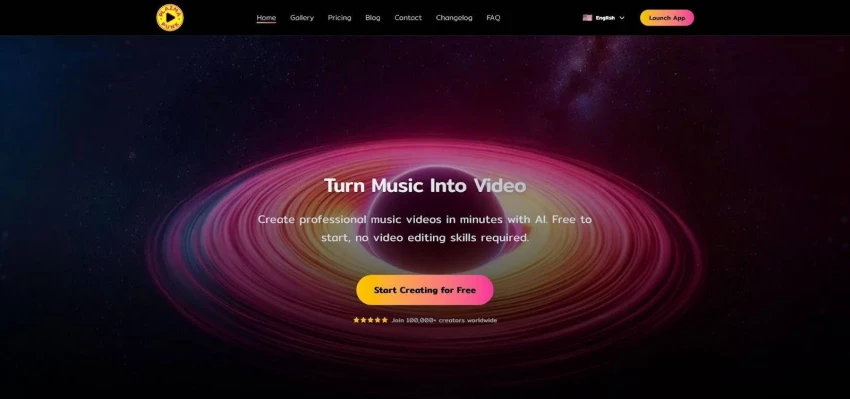
PlazmaPunk psychedelic audio-reactive visuals and theme picker screenshot
Performance impressed us. Our 90-second EDM test video stayed locked to the beat without drifting, and the final 1080p file looked razor-sharp on a projector. Remember, PlazmaPunk is an abstract artist; if you need text, characters, or a storyline, look elsewhere.
Why you’ll love it
● Generative visuals ideal for live shows or Spotify Canvas
● Audio-reactive motion with no manual sync required
● Affordable daily renders on the Punk plan
Trade-offs to note
● No narrative tools: no lyrics, no shot lists, only mood
● Free tier limits you to short, watermarked clips in 4:3
● Themes skew electronic, so folk or country tracks may feel mismatched
For producers who want stage screens pulsing in time with nothing but colour, light, and rhythm, PlazmaPunk is the digital lava lamp you control with a fader.
BeatViz is an early-access “AI director” that lets you toggle heavyweight models such as Sora, Veo, and Kling on the same timeline. Power users chasing maximum style variety should keep an eye on its rollout.
WZRD targets long-form, audio-reactive backdrops for live streams. Picture it as PlazmaPunk’s calmer cousin, ideal for lo-fi beats or relaxed DJ sets that need visuals running for hours.
One More Shot Visualizer bridges generative art and manual control. You can freeze a captivating frame, tweak colours, then let the AI resume in real time—useful for VJs who enjoy spontaneity but still want a safety net.
Innovation here moves fast. Expect today’s honourable mentions to challenge the leaderboard once they refine pricing, rights, and reliability.
You’ve met the contenders one by one. Here is the bird’s-eye view in a single glance, so you can match your needs to the right tool without scrolling back and forth.
| Tool | Sync quality | Lyric support | Visual focus | Max resolution | Price snapshot | Best for |
| Neural Frames | Frame-perfect (stem based) | Auto captions + lip-sync | Any style, multi-model | 4K | from about $25/mo | Producers who crave control |
| Kaiber | Good beat cuts | Manual | Stylised AI animation | 4K | credits or about $15/mo | Fast artsy visuals |
| LTX Studio | Section-level sync | Script import | Narrative, storyboard | 1080p | from about $15/mo | Story-driven videos |
| Runway | Manual | Titles in editor | Photoreal & CGI | 1080p (4K upscale) | credits; plans start about $15/mo | Visual experimenters |
| Rotor Videos | Solid template sync | Built-in | Stock-footage montage | 1080p | about $25 per export | Polished quick wins |
| FreeBeat | Excellent auto sync | Core feature | Cinematic & stylised | 1080p | freemium (from about $5/wk) | Fast beat-synced releases |
| PlazmaPunk | Reactive motion | None | Psychedelic generative art | 1080p | about $13/mo Punk plan | Live VJ eye-candy |
Choosing the right AI music-video generator comes down to your budget, desired visual style, and how much control you want over the final cut. Use this field-tested guide to skip the guesswork, match your track to the perfect tool, and focus on what matters most—making music people can both hear and see.
Share your thoughts about this article.
Be the first to post a comment!

Every occupancy sensor vendor now claims accuracy, privacy, and easy integration...
Terri Cruz2 months ago

For most enterprises, the invoice is where telecom expense management either wor...
Techie Frog2 months ago
Locker manufacturing has come a long way from simple metal compartments used in...
Techie Frog3 months ago

These are the context management platforms I would shortlist when you need trust...
Kruzel3 months ago

Most businesses do not sit down one day and decide to upgrade their data stack....
Techie Frog3 months ago

Our modern cities are a wonder of efficiency, a vertical world composed of glass...
Kruzel5 months ago